Training with Garmin.
Keep It Movin' fully supports Garmin users. Garmin and Apple Health can work well together but there are a few quirks with Garmin's native sync worth knowing about. For many users a third-party tool will give you better results.
Known limitations
Garmin's native Apple Health sync has a few rough edges that can affect how your workouts appear in Keep It Movin'.
Workout pauses
When a workout includes pauses the total duration recorded in Apple Health may be shorter than the actual workout. Some time gets dropped which can affect how your training load is calculated.
Heart rate resolution
Garmin only syncs heart rate data to Apple Health every two minutes. Short intervals or intensity spikes may not show up accurately which can make it harder to assess the true effort of a workout.
Multiple Garmin devices
If you use a Garmin Edge cycling computer and a watch at the same time only one device may sync to Apple Health. In many cases the cycling computer data gets missed entirely.
Recommended solutions
There are a couple of reliable ways to get better Garmin data into Apple Health and Keep It Movin'.
Intervals.icu
Import your workouts directly from Garmin Connect into intervals.icu and sync from there to Keep it Movin'. Make sure to import directly from Garmin Connect rather than via Strava or other platforms which may strip workout data.
Intervals.icu can also receive suggested workouts from Keep It Movin' and push them to your Garmin device making it the recommended path for a full two-way workflow.
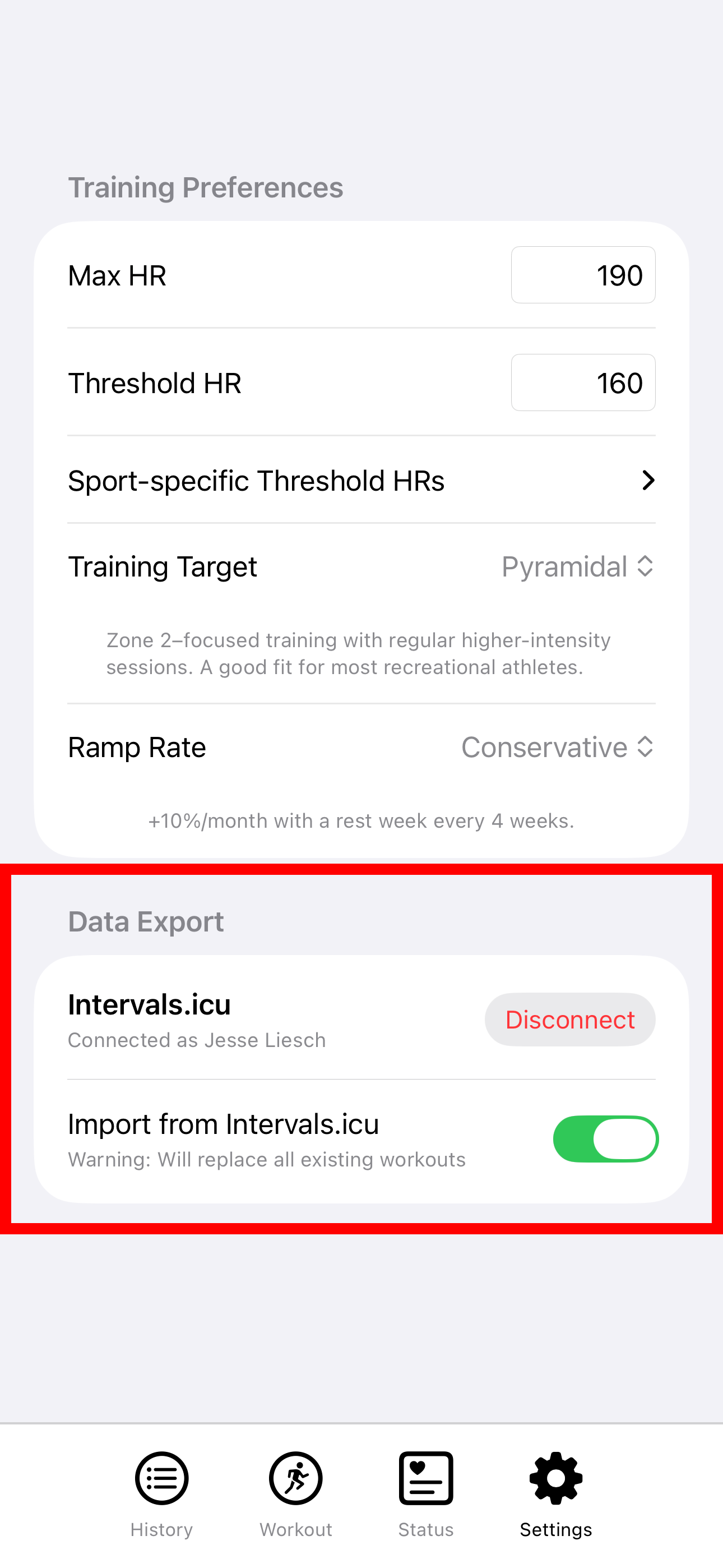
The following screenshot shows how to configure intervals.icu import.
Third-party sync apps
Apps like HealthFit or HealthSync can sync your Garmin workouts to Apple Health with better fidelity than the native Garmin integration. They handle pauses and heart rate data more reliably and support multiple devices.
Configuration is more cumbersome with these apps, but they keep all of your data on your device if that is important to you.